
Build your own game system, visually.
Ruleset Wizard is a complete development environment for Fantasy Grounds. Design character sheets and windows with drag and drop, add dice rolls and Lua scripts, and let Ruleset Wizard write the XML and pack a ready-to-load ruleset or extension. Easy enough for your first homebrew system, powerful enough for complete, complex rulesets.
New in 0.10.1 AI assistants, Import Windows, Git history and a dark theme →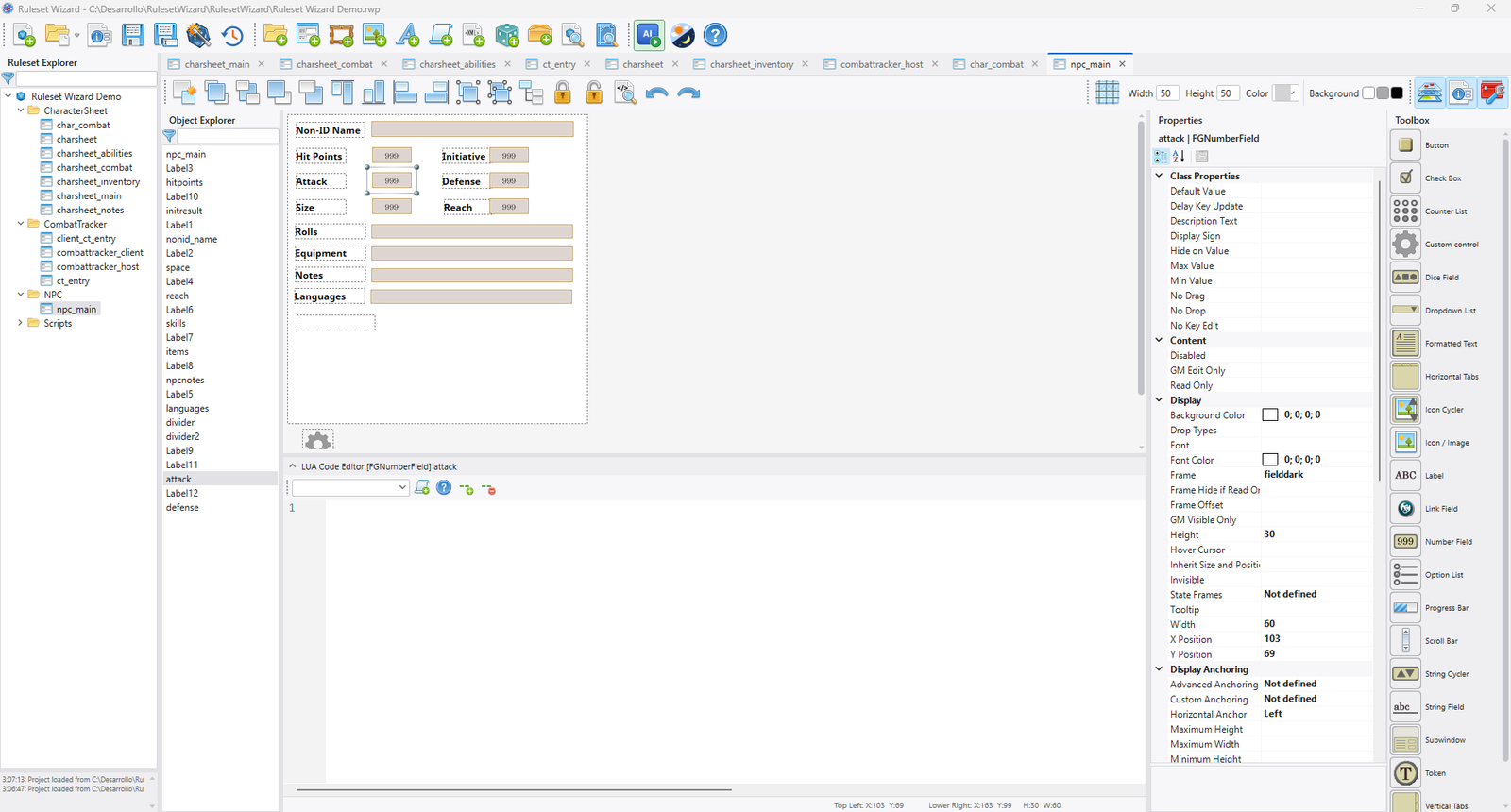
Everything you need to create a ruleset
From the first window to the finished package, Ruleset Wizard takes care of the Fantasy Grounds plumbing so you can focus on your game.
Visual window designer
Drag controls from the toolbox, then align, group and anchor them. Frames and fonts are drawn as Fantasy Grounds draws them, with full undo, redo, copy and paste.
Automatic XML generation
Windows, strings, frames, fonts and scripts become valid Fantasy Grounds XML. One click builds the ruleset or extension and packs it ready to load.
Property editor
Every option of every control, with its description: data sources, anchoring, frames, fonts, tooltips, visibility, drop types, tabs and more.
Dice rolls without code
Describe a roll on any field (dice, modifiers, description, targeting, result handler) and Ruleset Wizard writes the Lua. Create custom dice with their own faces.
Lua editor with autocomplete
Syntax highlighting, autocompletion of the CoreRPG scripts and the Fantasy Grounds API, event handlers ready to fill in and help just one click away.
Frames, icons and fonts
Manage the graphic assets of your ruleset with a frame editor that previews every piece, and start with the CoreRPG resources already available.
Import existing content
Bring windows, templates, strings, scripts, frames, icons and fonts from any .pak or .ext into your project, and keep working on them in the designer.
Templates and code tools
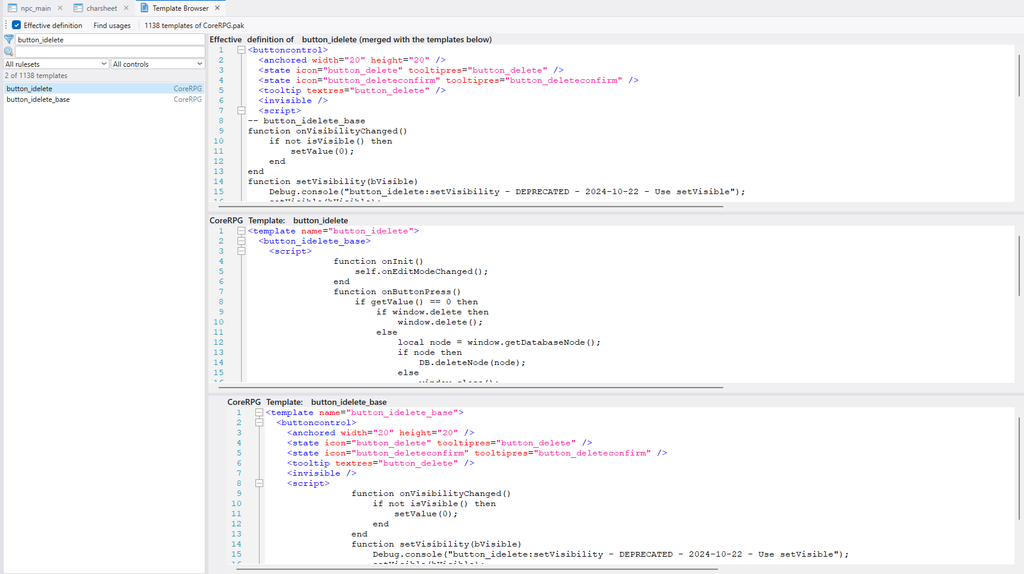
The Template Browser shows every template of the rulesets you build on, and the Code Inspector lets you search all the code your project generates.
Git integration
Advanced Development mode saves your project as text files for version control: commit from the toolbar, browse the history and restore any version.
Built for real projects
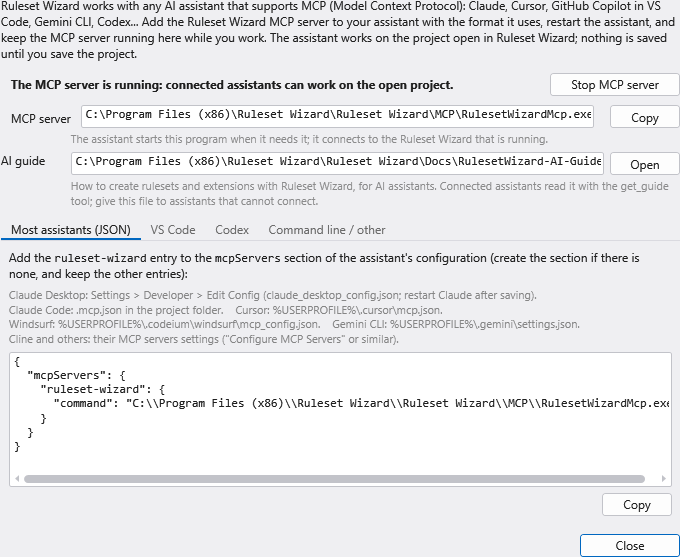
Work with your AI assistant
Connect Claude, Cursor, GitHub Copilot, Gemini CLI, Codex or any other assistant that supports the Model Context Protocol. It works on the project you have open, just like you do.
- Reads your windows, scripts and XML files
- Sees the windows as the designer draws them
- Adds and changes controls and writes Lua
- Checks the generation and fixes what fails
- Every change can be undone, and nothing is saved until you say so
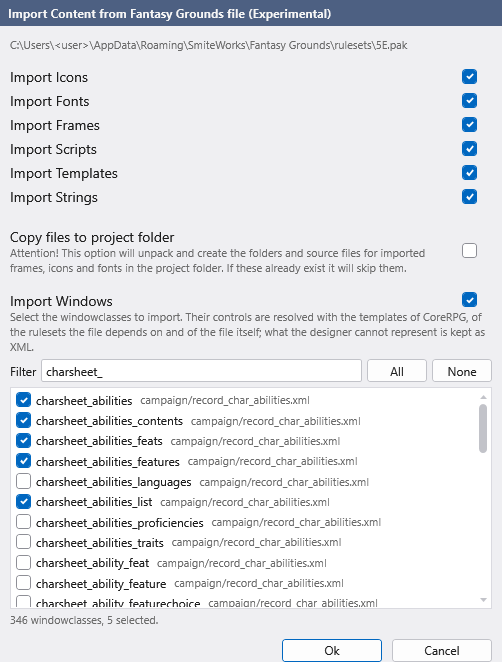
Import windows from any ruleset
Choose the windowclasses of any .pak or .ext and Ruleset Wizard turns them into designer windows: it resolves their templates and places every control where Fantasy Grounds would.
Use them as a starting point, learn how other rulesets are built, or move an existing project into Ruleset Wizard.
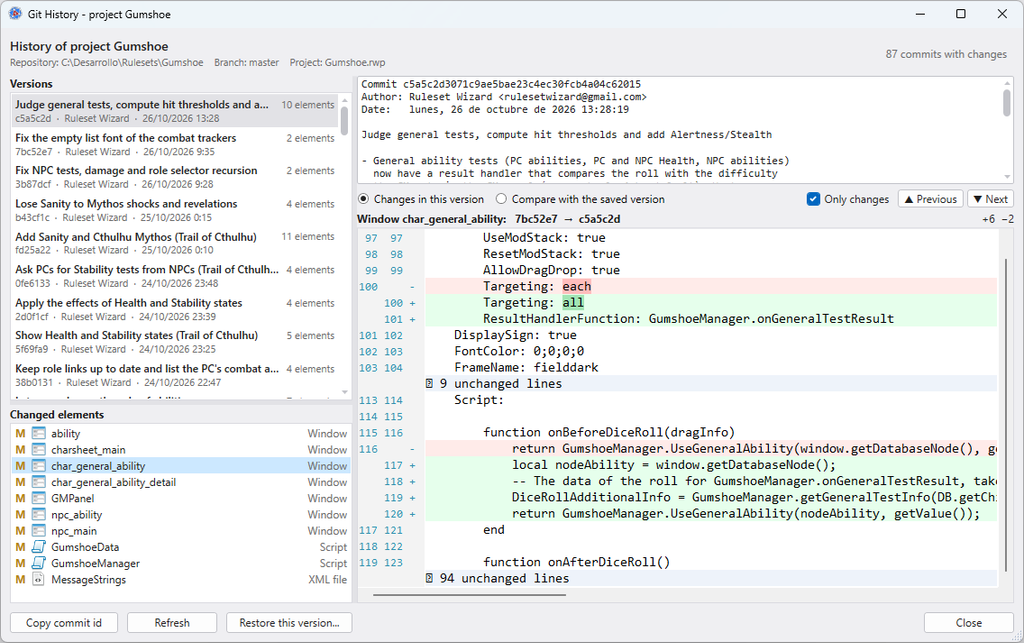
The history of every element
See the commits in which a window, script or frame changed, compare any two versions control by control, and restore the one you need. Elements changed since the last commit are marked in the Ruleset Explorer.
Know the rulesets you build on
The Template Browser lists the templates of CoreRPG and of every ruleset your project loads on, with the effective definition of each one, merged as Fantasy Grounds merges it. Find where a template is used with a single click.
And much more
- Rulesets on top of CoreRPG or any other ruleset
- Extensions for one or several rulesets
- Character sheet tabs, lists and subwindows
- Custom dice with their own faces
- Code Inspector with Find All
- XML editor for anything else you need
- Light and dark themes
- Automatic updates
Get started quickly
Video tutorials
Short tutorials on the official channel and complete series from the community.
Watch the videos →Example projects
Character sheet, combat tracker and party sheet templates, and many more examples.
Browse the examples →Development blog
What is new in every version, with tutorials and tips.
Read the blog →Get Ruleset Wizard
Everything you need to create your own rulesets and extensions:
- Instant download of the latest version
- A product key to activate Ruleset Wizard
- Automatic updates with every new version
Ruleset Wizard59.90 €
Fantasy Grounds is the world’s #1 Virtual Tabletop for pen & paper roleplaying games. Fantasy Grounds is a trademark property of SmiteWorks USA LLC. All Rights Reserved. If you don’t know it yet, you should start here.